Programming Guide
Multiple Protocols
We want to make it as easy as possible for programmers to communicate with our lamps and Led Computers. That is why our protocols are completely open. Our Led Computers speak several protocols, all developed in-house. There are three protocols you can use: ArtiAPI, ArtiNET and ArtiTCP.
ArtiNET is the protocol our devices use to talk to each other. It is based on TCP and suitable for real-time communication. Communication takes place via efficient socket programming with simple byte streams. It lets you do anything, but you do have to handle a lot yourself.
ArtiTCP is the protocol our Hub uses to talk to our devices. It is also TCP-based, but text-based and not suitable for real-time communication. With ArtiTCP you can also control the entire lamp or LED controller, for example to update its software.
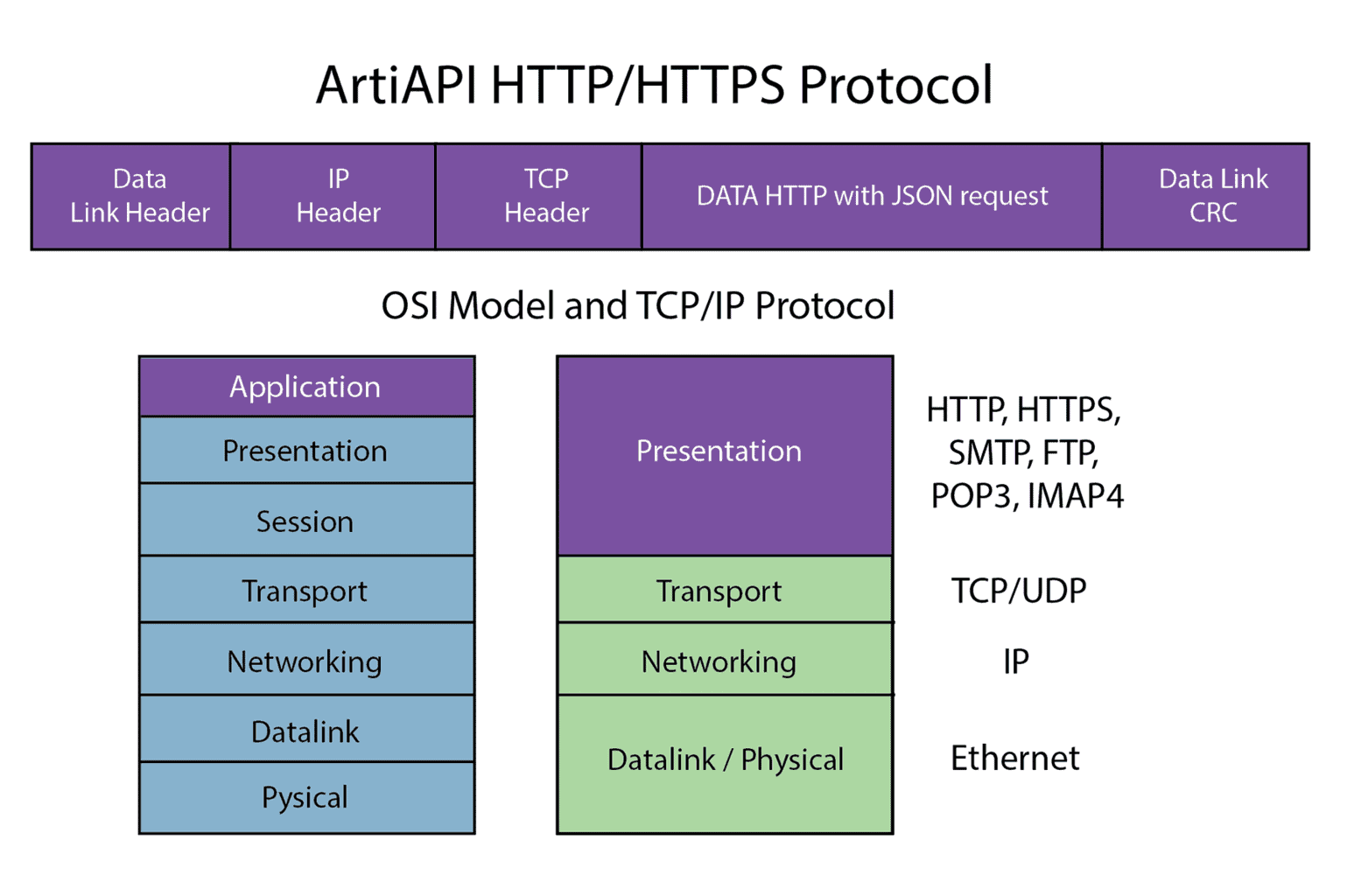
ArtiAPI is based on HTTP/HTTPS REST and works with JSON. Here the protocol has far more intelligence built in and takes work off your hands, but it is not suitable for real-time use.


Multi-Client Communication
Our Led Computers and lamps speak both ArtiNET and ArtiTCP. Both protocols are multi-client, which means that several devices can communicate with a lamp or LED controller at the same time. With the ArtiNET protocol, this is possible at high speed, up to 50 changes per second. You can even control one part of an LED strip or lamp from one controller, while a completely different controller controls another part of the same LED strip.
Our ArtiHUB speaks the ArtiAPI protocol. Via the Smart ArtiHUB and ArtiAPI, you can control multiple lamps at once and, for example, call up scenes. Via ArtiNET, you always communicate directly with one single device.
On top of that, we can also have our Smart ArtiHUB talk to other devices to combine them in scenes, such as existing Philips Hue lamps or Z-Wave lamps via a Fibaro controller. This way, you control everything centrally through a single API.
Extensive command set
Our protocols contain a wide range of commands. There are commands for controlling entire LED strips or segments of them, individual pixels, and multiple segments or pixels at once. You can work with colour palettes that you define yourself, and various effects are built in as standard. You can perform calculations with colours, shift a pattern, swap segments and much more. See the protocol definition for all commands; there are far too many to list here.
You can also request a wealth of information from a lamp or LED controller. How much power is being consumed? What was the peak consumption? What are the temperatures inside the controller or lamp? How many commands per second have been received? Which LEDs are on? How many LEDs are on? Which colours are active? The possibilities are almost endless.
And if something isn’t possible yet, we are happy to think along with you about how we can make it happen. We even develop custom firmware and custom products when needed.


ArtiNET Protocol
We designed the ArtiNET protocol to control our lamps and Led Computers as efficiently as possible. The protocol is based on a TCP byte stream and is completely open. This means you can view every command, and we explain what each one does. The illustration shows where the protocol sits in the OSI model.
The protocol always begins with a Start byte, followed by a Command byte containing the command to be executed. This is always followed by a Realtime byte, which indicates whether this is a real-time instruction without a reply or whether a reply is expected. The next byte contains the channel the command is intended for; channel 0 means all channels. Next comes an Amount field consisting of an LSB/MSB byte pair that indicates the number of Data bytes that follow. Then come the actual data bytes, as specified. Finally, there is a Stop byte.
You can view the complete ArtiNET protocol definition by clicking the button below. If you have any questions, please feel free to contact us; we are happy to support you. But do read on for the standard libraries we already provide.


ArtiTCP Protocol
We designed the ArtiTCP protocol to control our lamps and Led Computers as easily as possible. The protocol is based on a TCP stream with human-readable text commands and is completely open. This means you can view every command, and we explain what each one does. The illustration shows where the protocol sits in the OSI model.
You can open a simple Telnet session to the LED controller or lamp and enter commands directly, or send them from your own software. Authentication is required first, using a token that is unique to each controller or lamp.